Enjoy millions of the latest Android apps, games, music, movies, TV, books, magazines & more. Anytime, anywhere, across your devices.
the previous version was xxxed by gxxgxe
puzzle and dragon?
fight boss?
use ruler?
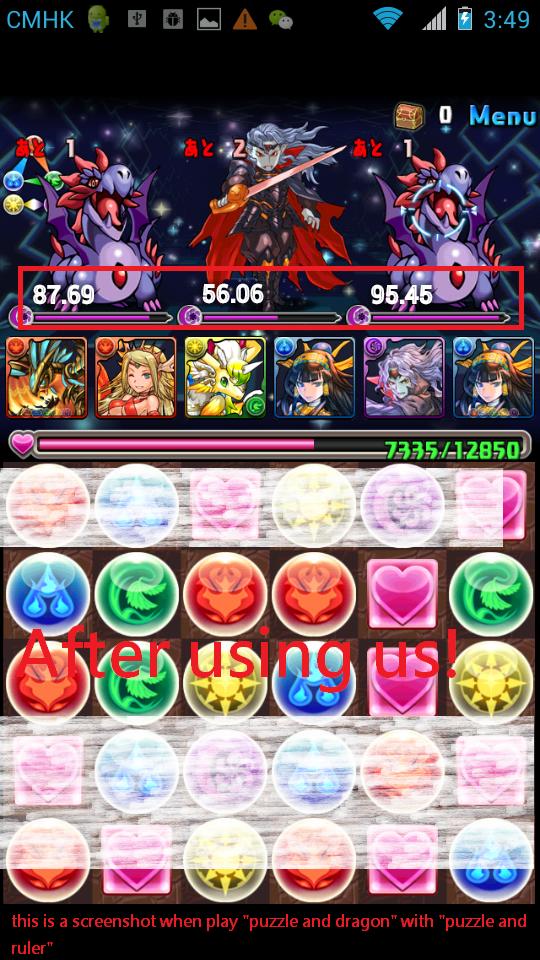
no, we use Puzzle and Ruler,!
this is a ruler for measure the hp in puzzle and dragon(p&d)
how to use:
1.press start
2.go to p&d, go to fight
3. take a screenshot by using "power button"+"volume down button"
4.the hp will be shown.
enjoy!
List of Supporting folder in ExternalStorageDirectory:
Environment.DIRECTORY_PICTURES
/Pictures/Screenshots
/DCIM/Screenshots
/ScreenCapture
/Camera shots
/Screenshots
/DCIM
new version: use service , so it won't be kill by system after start and before stop
Read more